Built for the way work happens now
AI built in
Everyday AI experiences, ready on the device.
Built for the working day
Battery, portability and connectivity designed for work beyond one desk.
Multilayered security
Microsoft protection across hardware, firmware, Windows and cloud.
Easier for IT
Up to 25% more efficient device management with Intune and the Surface Management Portal1
Which Surface fits your team?
Not everyone in your business needs the same device. Tell us who does what, and we’ll suggest the right Surface for each person.
- Surface Pro
- Surface Laptop
- Surface Laptop Ultra
Full Windows performance on the move
Surface Pro for Business 12-inch
For people who work at a desk, on site and on the road, often in the same day.
- Light enough to carry all day, while still being a full Windows PC
- Battery designed to last through the working day
- Take notes with the Surface Slim Pen, then attach the keyboard when you sit down5
One device instead of two: ideal if your people carry a tablet and a laptop.
Explore Surface Pro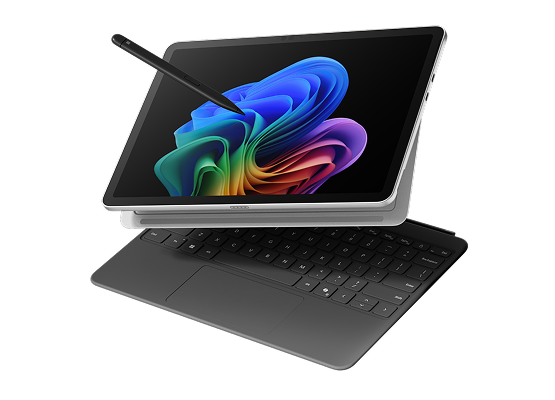
At a glance
12-inch PixelSense touchscreen
Up to 15.5 hours6
686g7
Laptop performance in a thin and light tablet
Surface Pro for Business 13-inch
For project managers, consultants and anyone who moves between the desk, the field and the meeting room.
- Capture documents and surroundings with the HD rear camera, then mark them up with the pen5
- Look and sound clear on video calls with Windows Studio Effects8
- Up to three external monitors for a full desktop setup back at the office
One device for what used to take a laptop, a tablet and a notepad.
Explore Surface Pro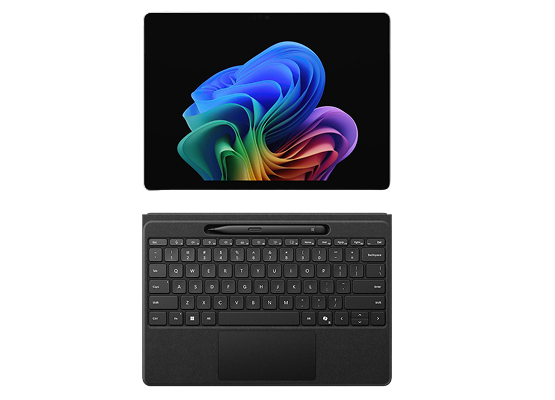
At a glance
13-inch PixelSense Flow touchscreen, optional OLED
Up to 17 hours
895g
For everyday work
Surface Laptop for Business 13-inch
Office, admin, finance and customer service teams, and every new starter.
- All-day battery life for extended work sessions10
- Comfortable typing, one-touch access to Copilot and quick, secure sign-in with Windows Hello
- Connect the peripherals you already use with USB-A, USB-C and a headphone jack
The everyday laptop for a growing team.
Explore Surface Laptop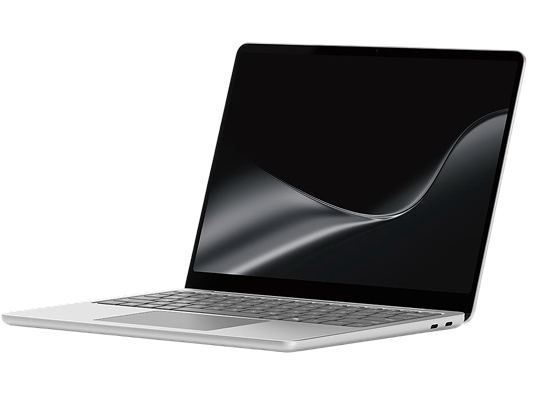
At a glance
13-inch PixelSense touchscreen with a 3:2 aspect ratio
Up to 22.5 hours
1.23kg
Thin and light design meets next-level AI productivity
Surface Laptop for Business 13.8-inch
Owners, managers and anyone who works on trains, in cafés or at client offices.
- Keep work private in public with the optional integrated privacy screen, with one click11
- All-day battery life, with fast Wi-Fi 7 connectivity
- Immersive video calls with the 1080p Surface Studio Camera and Windows Studio Effects12
A good fit for people who work on the go and need to keep work private.
Explore Surface Laptop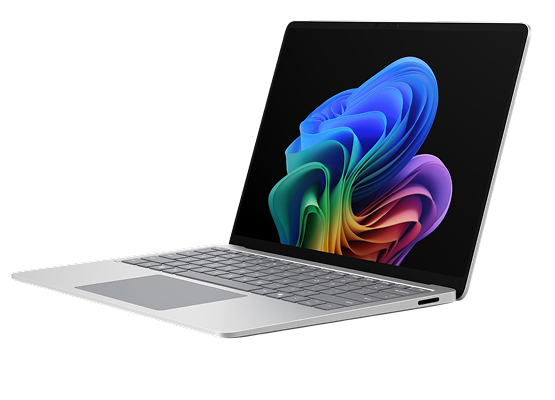
At a glance
13.8-inch PixelSense Flow touchscreen
Up to 23 hours
1.35kg
For people who work with numbers
Surface Laptop for Business 15-inch
Finance, planning and operations teams who work with big files every day.
- A large screen that shows more of the spreadsheet at once
- Connect up to two 4K external monitors13
- Feel each image click into place in PowerPoint, with a haptic touchpad you can adjust to suit you
A good fit for the people who turn numbers into decisions.
Explore Surface Laptop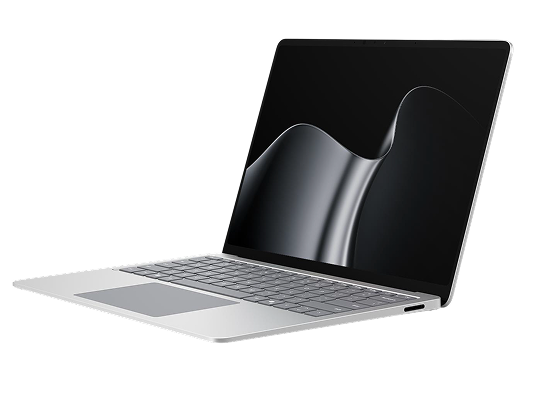
At a glance
15-inch PixelSense Flow touchscreen
Up to 21 hours
1.67kg
New for people who build, create and analyse
Surface Laptop Ultra
The most powerful Surface laptop yet, co-engineered with NVIDIA for developers, designers, engineers and data teams.
- Build and test AI agents on the laptop itself
- Create 3D scenes, video and designs on the brightest peak HDR display of any laptop
- Analyse large models and datasets with up to 128GB of unified memory
A good fit for teams whose heaviest AI and graphics work needs to travel, since it keeps almost all of its performance on battery.
Explore Surface Laptop Ultra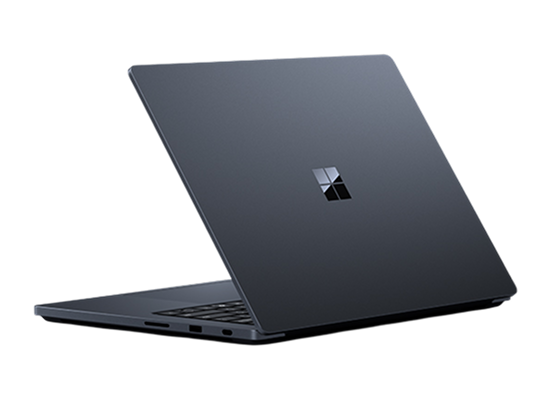
At a glance
15-inch PixelSense Ultra touchscreen
Up to 15 hours of video playback
2kg
The details you notice when you use it every day
The details your team will actually notice, from how much fits on screen to how clearly they come across on calls.

See more, scroll less
A taller 3:2 screen shows more of every document, webpage and spreadsheet, so there’s less scrolling

Clearer conversations
Cameras and microphones are designed to help people look and sound clear wherever they’re working.

More natural ways to work
Touch and precision input across the full range, plus pen on Surface Pro for Business, give people more ways to interact with their work.
Feedback you can feel
Surface adds another layer of feedback through touch. A subtle haptic response lets you know when something aligns or snaps into place, so there’s less need to double-check the screen and more room to stay focused.
Touchpad
Surface Laptop for Business 13.8-inch and 15-inch, Surface Laptop Ultra
Move through reports, slides and detailed work with more tactile control.
Surface Slim Pen (2nd Edition)
Surface Pro for Business
Make notes and mark up work with feedback that feels closer to pen on paper.
Surface Mouse (2nd Edition)
Any Windows 11 PC
Quiet, comfortable control for shared and flexible workspaces.
Clarity
You know an action has worked without checking
Focus
Quiet clicks keep shared spaces calm, while the lightweight design stays comfortable all day
Inclusion
Customisable haptics adapt to different abilities and workstyles
Haptic feedback works in supported apps and features on Windows 11.
AI that helps with the work you already do
Surface brings useful AI closer to the work already happening on your screen. From finding files to following calls, these are the everyday experiences we can help your team put to work.
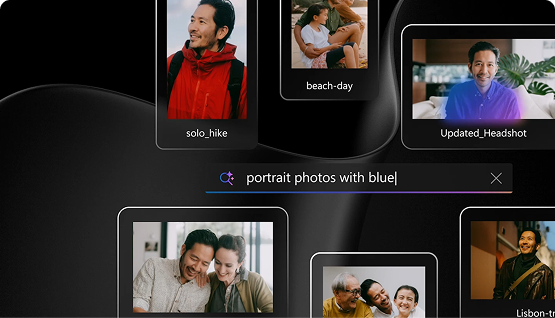
Find anything fast
Improved Windows search finds a file when you describe it, even if nobody remembers the name.
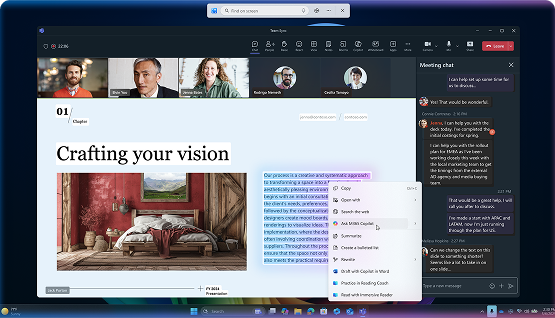
Get to the point
With Click to Do, highlight a long email or document to summarise it, rewrite it or open the right app.

Follow every conversation
Live Captions can translate speech into English from more than 40 languages.
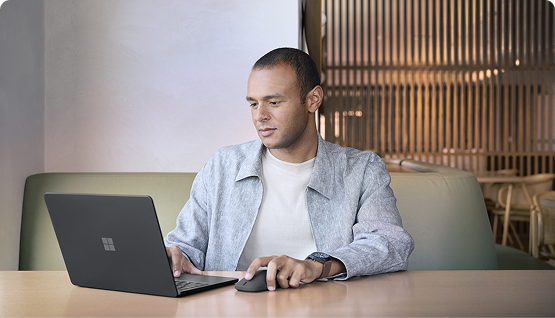
Better calls from anywhere
Windows Studio Effects help keep you in frame and reduce background noise on calls.
Windows Hybrid Intelligence: Make every AI token count
As AI becomes part of everyday work, growing workloads and AI agents bring higher computing demands and potential cloud costs. But not every task needs the cloud.
The savings potential of Hybrid Intelligence
Up to 42%
Lower projected AI costs
Over three years compared against standard cloud licensing.4
2 trillion+
Local AI inferences every month
Already processed on-device across Copilot+ PCs each month.2
With Windows Hybrid Intelligence, Microsoft is bringing local and cloud AI together. Intelligent model routing in apps like Copilot Cowork or 3rd party apps is evolving to use on-device models for suitable tasks and cloud intelligence when needed. This helps businesses make better use of computing power and manage AI costs as usage grows.2
Unmetered Intelligence: AI you own, not rent
Running AI locally means businesses can process suitable workloads on their own Windows PCs without paying cloud providers for every request or token. This is the idea behind Unmetered Intelligence: using computing power already available on your device instead of relying on the cloud for every task.
With Hybrid Intelligence, businesses can reduce cloud-token consumption while still accessing cloud models for more demanding work.2
How Windows makes every token count
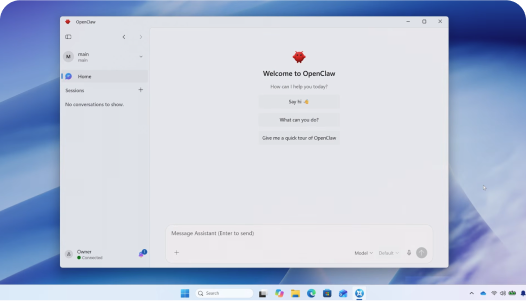
Smarter model routing
Apps like Copilot Cowork are evolving to use local models for suitable tasks, with cloud intelligence available when needed.3
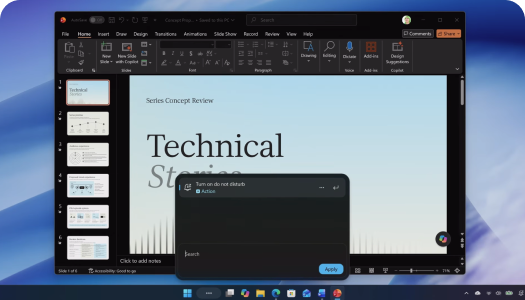
Fewer cloud-token costs
Running supported AI tasks locally avoids per-token cloud charges, helping manage costs as usage grows.2
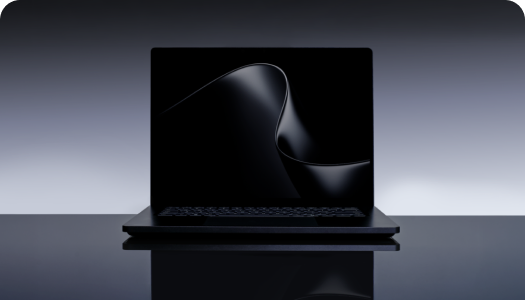
Powerful AI on your PC
Surface Laptop Ultra can run models with over 120 billion parameters locally, supporting demanding AI workloads.2
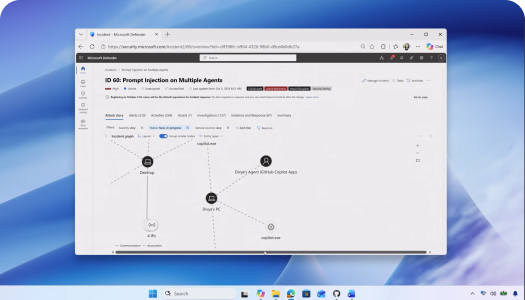
AI under IT control
Windows helps IT manage agent access, identify activity and apply security policies using familiar tools.2
Complete the setup for every role
The right accessories can make a good device work better for the way each person actually works. We can help you build a simple setup around the role, without adding things they do not need.
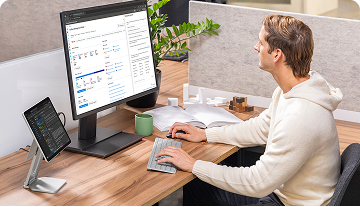
At the desk
For people working with screens, power and peripherals throughout the day.
- Surface Thunderbolt 4 Dock
- Surface Mouse (2nd Edition)
- Surface Keyboard (2nd Edition)
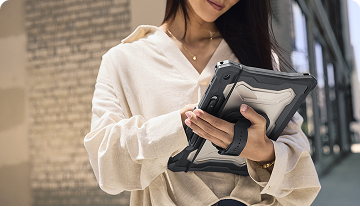
On the move
For typing, taking notes and staying productive wherever the day goes.
- Surface Pro 13-inch Flex Keyboard
- Surface Slim Pen (2nd Edition)
- Surface Arc Mouse
- Surface USB-C Travel Hub
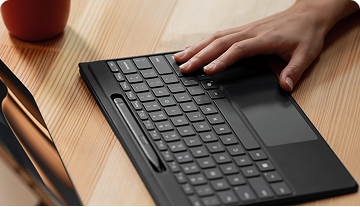
Made to fit the person
For people who need more flexible ways to control and interact with their device.
- Microsoft Adaptive Accessories
- Surface Adaptive Kit
The accessories
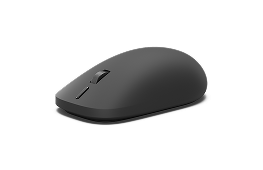
Surface Mouse (2nd Edition)
Feel every click and drag, with one button for Copilot.
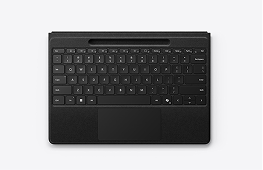
Surface Pro 13-inch Flex Keyboard
Type where it suits you, attached or away from the screen.
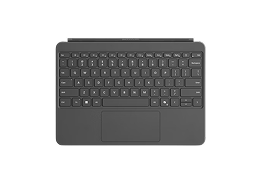
Surface Pro 12-inch Keyboard
Switch from tablet mode to focused typing in seconds.
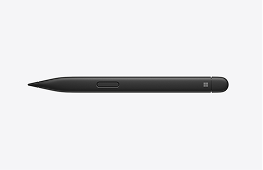
Surface Slim Pen (2nd Edition)
Take notes and sketch naturally; it stores and charges on Surface Pro.5
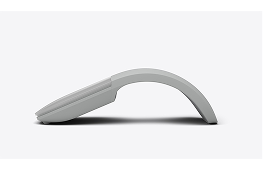
Surface Arc Mouse
Folds flat, so it is easy to take anywhere.
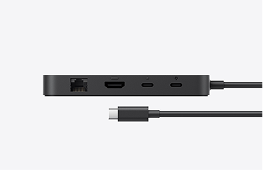
Surface Thunderbolt 4 Dock
Turn one connection into a full desk setup.
Need something specific? There are more than 250 Designed for Surface accessories, and we can help you find the right one.
Security that starts before sign-in
A stronger security baseline
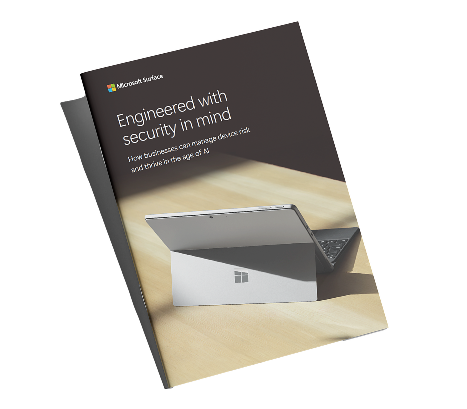
Engineered with security in mind
How businesses can manage device risk and thrive in the age of AI
- What good device security looks like today
- What’s protected the moment a new device is switched on
- How to stay in control when people work away from the office
We’ll help you choose it, set it up and look after it
Get to know your team
We look at how each person works and where AI could save them time.
Recommend the right fit
We bring the device, accessories and services together around how your team actually works.
Set up and support
We help with the rollout and stay on hand as your business grows.
Questions we hear most
What makes a Surface Copilot+ PC different?
Its built-in NPU handles select AI tasks on the device, helping responses feel faster while keeping more data local.
Which Surface is right for my team?
It depends on how each person works. Surface Pro for Business suits people on the move, Surface Laptop for Business suits everyday desk work in three sizes, and Surface Laptop Ultra is for the most demanding creative and technical work. We can help you match each role.
Will our software still work?
Yes, your everyday business apps, including Microsoft 365, work seamlessly. We’ll also review your key applications with you before you buy, so you can choose the configuration that best fits your business.
Can we manage this without a dedicated IT team?
Yes. Surface is designed so one person, or a partner like us, can set up and look after the devices for the whole team. Some management tools need a Microsoft subscription, and we can tell you which make sense for your size.
Can Surface devices be repaired?
Yes. Many parts can be replaced, and repairs can be handled by your own team, by Microsoft or by an authorised repair partner.
Let’s find the right Surface for your team
Tell us a little about your business and we’ll come back with a simple recommendation for each role.
Disclaimer:
1 Surface Management Portal requires Intune subscription, not included with Surface.
2 Microsoft, Building Windows for hybrid intelligence, October 7, 2026. https://blogs.windows.com/windowsexperience/2026/10/07/building-windows-for-hybrid-intelligence/
3 Microsoft, Bringing local models and sandboxed tools to Windows and GitHub Copilot, October 2026. New Copilot capabilities are expected to roll out over the coming months; availability varies by device and market. https://commandline.microsoft.com/local-models-sandboxed-tools-github-windows/
4 Actual savings depend on workload, model selection, infrastructure and utilization.
5 It stores and charges on Surface Pro 12-inch, or in the Surface Pro 13-inch keyboards. Pen and keyboard sold separately.
6 Wi-Fi-only models (5G: up to 13 hours). Based on a local video playback test.
7 Wi-Fi-only models (5G: 707 g). Weight may vary by configuration and manufacturing process.
8 Requires built-in camera; available effects vary by device.
9 Monitors sold separately; dock and cables may vary.
10 Battery life varies by usage and settings; based on local video playback testing. Model-specific figures apply.
11 Integrated privacy screen available on select 13.8-inch configurations.
12 Requires built-in camera; available effects vary by device.
13 Monitors sold separately; the number of displays supported varies by model.